DesignMD
Discover
Back to Discover

Linear

Streamline issues, projects, and roadmaps

linear.app
9 colors
18 components
Inter, JetBrains Mono
Mar 16, 2026
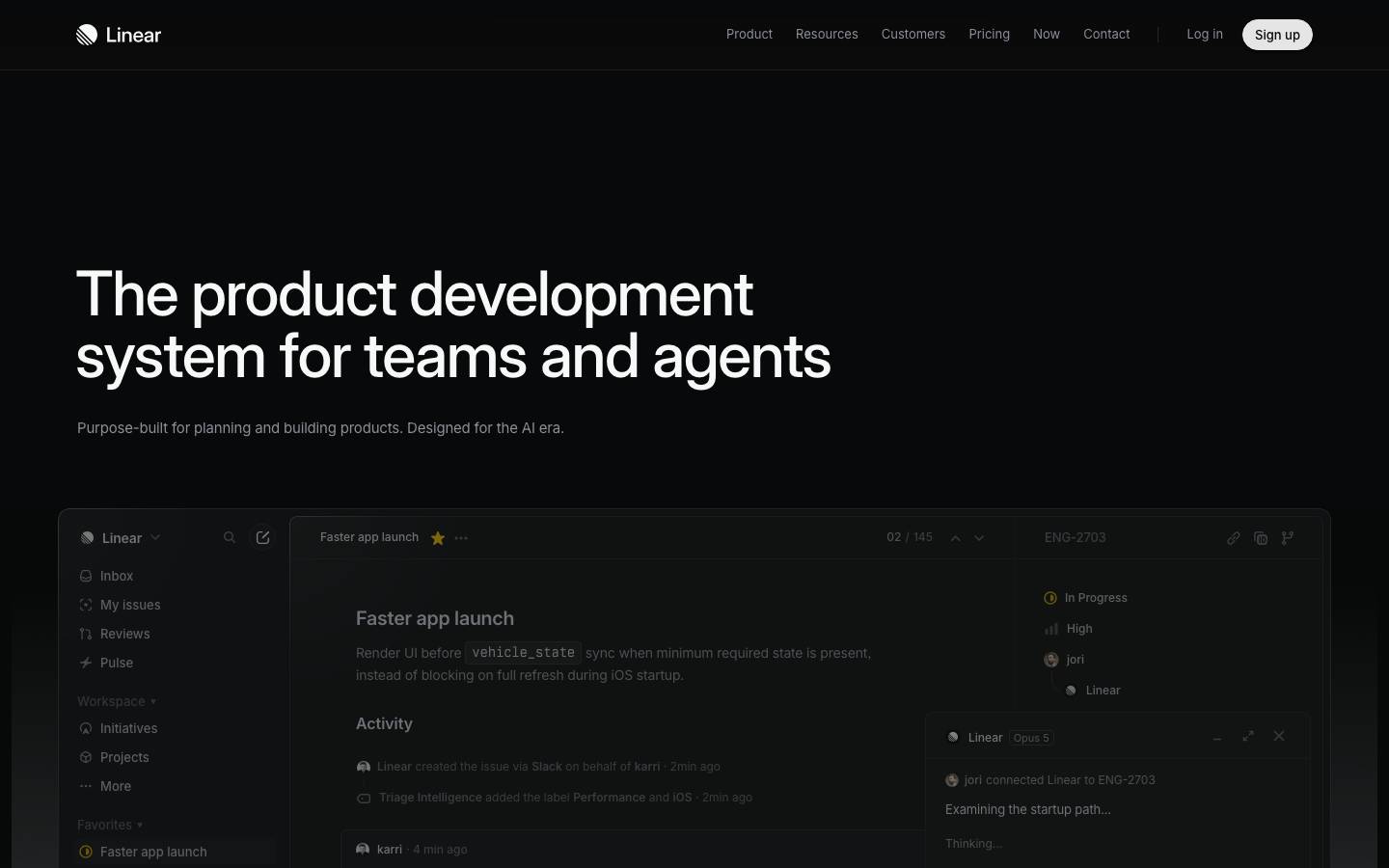
Website Preview
Linear screenshot
Colors
Primary
#5E6AD2

Primary actions, active states

#171723

App background

#2C2C35

Cards, sidebars

#FFFFFF

Primary text

#8A8F98

Secondary text

Semantic
#F2994A

Urgent priority

#EB5757

High priority

#5E6AD2

Completed states

#4E4E56

Canceled items

Typography
Inter
Role
SizeWeightHeight
Heading 1
24px6001.2
Heading 2
18px6001.3
Body
14px4001.5
Label
12px5001.3
JetBrains Mono
Role
SizeWeightHeight
Mono
13px4001.5

DESIGN.md — Linear

Overview

Linear's design system is defined by precision, density, and a distinctly dark-first approach. The interface communicates speed through tight spacing, sharp animations, and a restrained violet accent. The overall tone is technical and opinionated — every pixel earns its place.

Colors

Primary Palette

TokenHexUsage
color-brand#5E6AD2Primary actions, active states
color-bg#171723App background
color-surface#2C2C35Cards, sidebars
color-text#FFFFFFPrimary text
color-muted#8A8F98Secondary text

Semantic Colors

TokenHexUsage
color-urgent#F2994AUrgent priority
color-high#EB5757High priority
color-done#5E6AD2Completed states
color-canceled#4E4E56Canceled items

Typography

RoleFamilySizeWeightLine Height
Heading 1Inter24px6001.2
Heading 2Inter18px6001.3
BodyInter14px4001.5
LabelInter12px5001.3
MonoJetBrains Mono13px4001.5

Spacing

TokenValueUsage
space-14pxInline gaps
space-28pxList item padding
space-312pxCard internal spacing
space-416pxSection gaps
space-624pxPanel padding

Border Radius

TokenValueContext
radius-sm4pxBadges, status indicators
radius-md6pxButtons, inputs, cards
radius-lg8pxModals, dropdowns

Elevation

LevelValueUsage
shadow-popup0 4px 16px rgba(0,0,0,0.4)Dropdowns, context menus
shadow-modal0 16px 48px rgba(0,0,0,0.5)Modals, command palette

Components

Issue Row

  • Height 36px, padding 0 12px, hover bg rgba(255,255,255,0.03)
  • Priority icon (16px), title, status badge, assignee avatar

Command Palette

  • Centered modal, 480px width, radius 8px
  • Search input at top, results list below
  • Keyboard navigation with highlighted row

Sidebar

  • Width 240px, bg #1C1C28, fixed left
  • Collapsible sections, icon + label navigation

Do's and Don'ts

Do

  • Prioritize keyboard interactions over mouse
  • Use subtle hover states (3-5% white overlay)
  • Keep information density high — reduce unnecessary padding
  • Use the violet accent only for primary actions

Don't

  • Don't use rounded corners larger than 8px
  • Don't add decorative elements that don't serve a function
  • Don't use light backgrounds in the main app shell
  • Don't animate anything longer than 200ms

Want a DESIGN.md like this for your own website?