Convex
The fullstack TypeScript development platform
5 colors
14 components
Inter, Fira Code
Apr 18, 2026
Website Preview
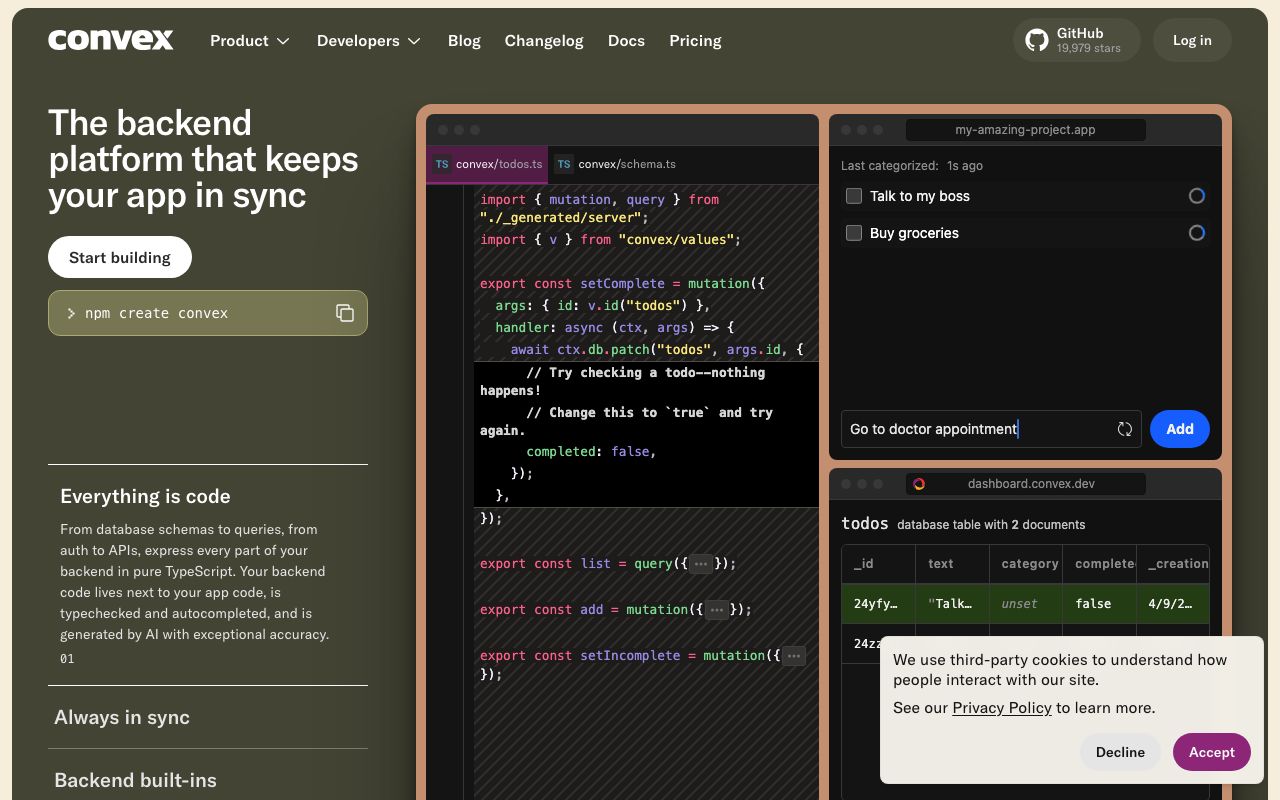
Colors
Primary
#F3AD2E
Amber-gold, primary accent
#1E1E2E
Background
#FFFFFF
Primary text
#2D2D3F
Cards, editors
#9CA3AF
Secondary text
Typography
Inter
Role
SizeWeightHeight
Display
44px700—
Heading
26px600—
Body
16px400—
Fira Code
Role
SizeWeightHeight
Code
14px400—
DESIGN.md — Convex
Overview
Convex's design system reflects a modern fullstack platform with a warm amber-gold accent on deep purple-dark surfaces. The combination creates an inviting, premium feel that distinguishes Convex from the typical cold blues of developer tooling. The design emphasizes real-time data flows and TypeScript-first workflows.
Colors
Primary Palette
| Token | Hex | Usage |
|---|---|---|
color-brand | #F3AD2E | Amber-gold, primary accent |
color-bg | #1E1E2E | Background |
color-text | #FFFFFF | Primary text |
color-surface | #2D2D3F | Cards, editors |
color-muted | #9CA3AF | Secondary text |
Typography
| Role | Family | Size | Weight |
|---|---|---|---|
| Display | Inter | 44px | 700 |
| Heading | Inter | 26px | 600 |
| Body | Inter | 16px | 400 |
| Code | Fira Code | 14px | 400 |
Components
Data Browser
- Table view of documents in a Convex table
- Editable cells with type validation
- Real-time updates highlighted with amber flash
Function Log
- Streaming log of function executions
- Mutation (amber), Query (blue), Action (green) badges
- Expandable rows with arguments and return values
Schema Editor
- TypeScript-style schema definition viewer
- Field types with auto-complete
- Validation rules and default values
Do's and Don'ts
Do
- Use amber-gold for primary actions and brand moments
- Show real-time reactivity — data should update live
- Use TypeScript syntax highlighting with Convex-specific keywords
Don't
- Don't use amber for warning states — use a distinct orange
- Don't hide the function execution log — it's a core debugging tool
- Don't use light backgrounds in the dashboard